VAMP thresholds in 2026: the ratio, the count, and the number your processor actually uses
Visa cut the merchant VAMP threshold to 1.5% in April 2026, but the percentage is only one of two conditions. What the ratio actually measures, why 1,500 is not a transaction count, and why your acquirer's limit is the one that matters.
1. What VAMP is and the threshold people misunderstand
VAMP has been a controversial topic in payments since Visa announced the revamped program in August 2024. The rollout happened in stages, and the rules changed along the way, which hasn’t made it any easier for merchants to understand what actually applies to them.
VAMP stands for Visa Acquirer Monitoring Program, and the idea was to bring several fraud and dispute monitoring programs into one framework to simplify how Visa monitors risk. That being said, “simpler” on Visa’s side doesn’t necessarily mean simpler for the merchant trying to figure out why their account is getting flagged.
The program became effective April 1, 2025, but Visa extended the advisory period through September 30, 2025, to give banks and their partners more time to get ready. So there was a period where the program was in place but enforcement hadn’t started.
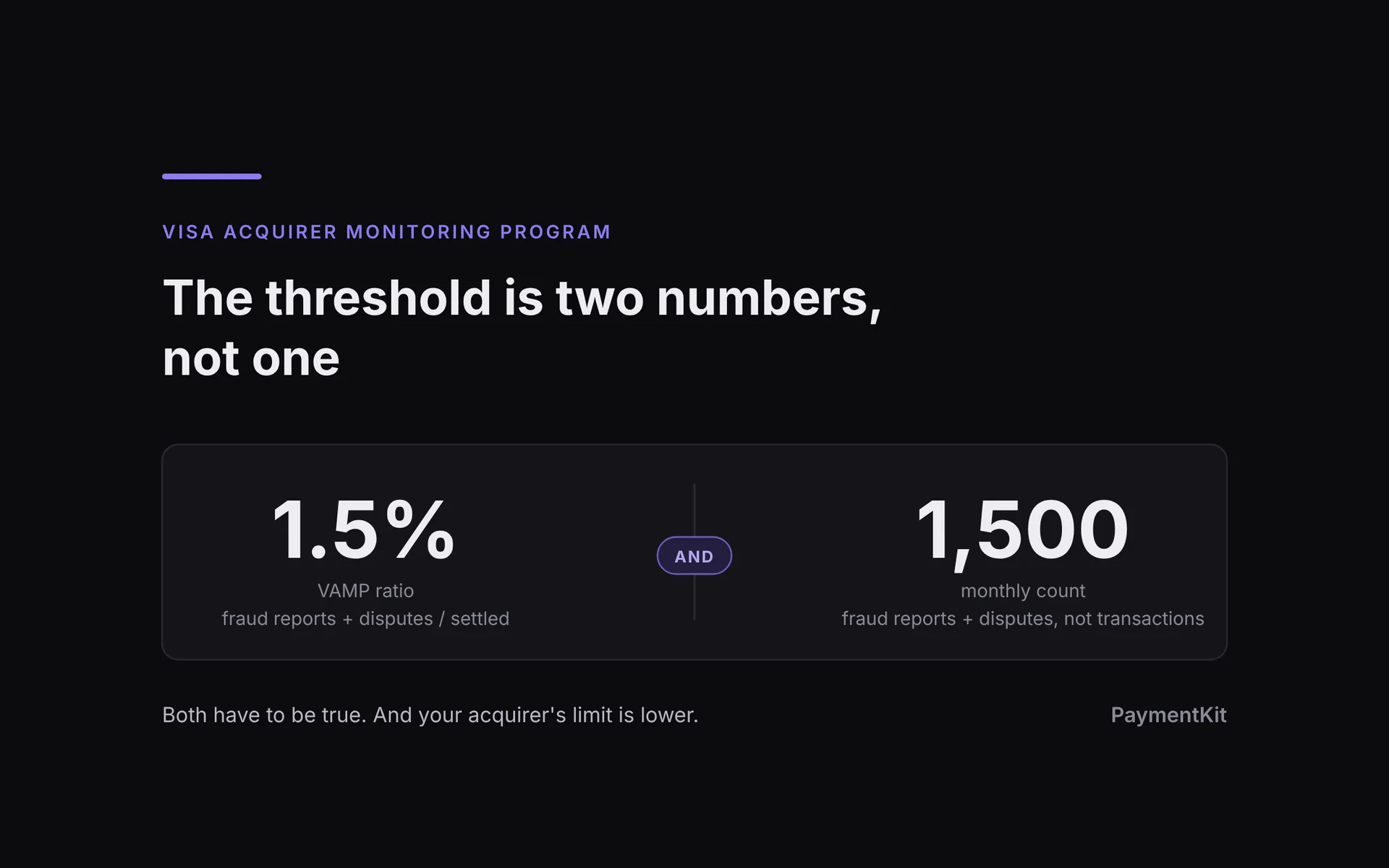
To calculate the VAMP ratio, Visa takes TC40 fraud reports plus TC15 disputes and divides that by settled Visa card-not-present transactions. Visa’s methodology
TC40 is the fraud-reporting side. The bank that issued the customer’s card reports a transaction as fraudulent. That doesn’t necessarily mean a chargeback has happened. TC15 is the dispute side, which includes fraud disputes and disputes for other reasons, like a customer saying they canceled a subscription and were charged again.
And yes, the same transaction can show up in both. If it generates a fraud report and a dispute, it can count twice. So the VAMP count isn’t necessarily a count of unique transactions or customers.
This means chargebacks aren’t the only consideration. Even if your chargeback ratio looks low in your merchant dashboard, your VAMP ratio can be higher and cross a threshold that your chargeback rate doesn’t. You have to know which number you’re looking at.
The thresholds changed during the rollout, too. In the U.S., Canada, Europe and Asia-Pacific, the Excessive Merchant ratio threshold dropped from 2.2% to 1.5% on April 1, 2026.
But 1.5% is only part of it. The published U.S. merchant-level Excessive criteria also require a monthly count of at least 1,500 fraud reports plus disputes. Both conditions matter. Visa’s thresholds
This means you could be at, say, a 3% VAMP ratio but under 1,500 total reports and disputes, and not meet that specific Excessive Merchant test. That’s a pretty important detail if you’ve only been watching the percentage.
It doesn’t mean your processor has to be okay with 3%. Your bank or processor can act before you cross that line, which we’ll get into next.
Visa is doing this for a few reasons:
There’s fraud happening across the network, and Visa wants banks to catch and address it earlier.
Card testing is another problem. Fraudsters can run large numbers of attempts to figure out which stolen card details work.
Fraud and disputes create costs and work for everyone involved. Visa wants a more consistent way to make banks manage those problems across their merchants.
Those are Visa’s stated reasons. From a merchant’s perspective, the result is more scrutiny of your numbers and more pressure on the bank behind your processing.
Mastercard has also tightened its scam-merchant monitoring rules, so the same basics around fraud prevention and clear billing matter there too, even though the thresholds and enforcement work differently. I’ll cover that in a separate article.
2. Why your real threshold may be lower
What this means is that banks have another reason to crack down on the merchants and processing partners in their portfolios. If you don’t keep your VAMP numbers in check, you can end up losing a processing relationship.
The acquiring bank is the bank behind that relationship. It may be different from the processor or ISO you deal with every day. Visa monitors the acquirer’s overall portfolio as well as individual merchants, so the bank has its own numbers to worry about.
For example, imagine a bank hears from Visa that it needs to make a significant improvement in its portfolio’s VAMP ratio. The bank could decide to pull up a spreadsheet, look at the biggest contributors and cut certain accounts or categories.
That’s a hypothetical, but it’s the kind of decision you need to account for. Your history with the bank may not carry as much weight as you think when the bank is trying to reduce its own exposure.
It may seem unfair, especially if you’ve been there for years. But I’d assume a bank or processor is going to prioritize its Visa and Mastercard relationships over keeping any one merchant happy. Their ability to keep doing business depends on those relationships.
Different banks also have different risk appetites, and those can change. While a bank might accept your numbers today, that may not be the case down the road. Their overall portfolio is being judged, not just you.
This can also show up through your ISO or processor, so it’s important to know what’s happening beyond the dashboard you log into.
I’d ask who the acquiring bank is, what numbers they expect you to stay under and what happens if you start moving in the wrong direction. If the only answer you have is “Visa says 1.5%,” you don’t have the full answer.
Getting warnings, a new or larger reserve, a lower volume cap or tighter underwriting should make you pay attention.
It’s also one of the reasons I want multiple banks and processors in place. You can run a legitimate business, work on your fraud and disputes, and still have a bank decide it no longer wants your category.
That’s one reason we built support for multiple processing relationships into Payment Kit. I don’t want the whole business depending on one provider continuing to be comfortable with it. Payment Kit’s orchestration documentation
Sidebar: Why the information online is confusing
If you’ve looked this up and found three different answers, part of the problem is that you may be reading about three different stages of the rollout.
There’s the original announcement, the advisory period, the revised thresholds and then whatever policy your processor applies. Even the word “threshold” can mean different things depending on which one the article is discussing.
3. What actually happens if VAMP becomes a problem
The fine gets a lot of attention, but I’d be more worried about what happens to your ability to process payments. Most people, especially in high risk, are okay with paying a fine, because they mainly care about keeping processing live.
If you’re identified for monitoring, you’ll likely be asked for a remediation plan explaining what’s causing the problem and what you’re doing to fix it. Visa’s assessments follow the network’s rules. How your provider responds, including whether it offboards you, depends on the provider. Some are more lenient than others, and it depends on their situation. Stripe’s monitoring guidance
That’s separate from the bank or processor deciding it wants more protection. A reserve, for example, means some of your funds are being held to cover potential refunds and disputes. You can still be taking payments while having less of that cash available to run the business.
If you’re using that cash to pay for ads, inventory, or payroll, that can become a problem pretty quickly. A reserve doesn’t need to shut down your account to affect how you operate. If the relationship is restricted or terminated, the issue gets bigger. You need somewhere for new payments to go, and if you run subscriptions, you need a way to keep legitimate rebills working.
I wouldn’t assume there will always be a neat sequence of warning, deadline, fine, and then shutdown. Find out what your actual notice says. Ask which metric triggered it, which transactions contributed to it, what needs to change, and by when. And do it quickly, because you can’t assume the processor just wants your business.
You also need to understand what happens while you’re fixing the problem. Can you keep processing at the same volume? Are payouts changing? What evidence does the bank want to see? Those answers are more useful than just knowing the size of a potential fine.
4. How good operators keep VAMP under control
A lot of this starts with things that sound basic but are easy to ignore when you’re focused on growing the business.
Can the customer recognize the charge? Can they reach support? Can they cancel without going through a maze? Is it easy to get a refund? If something went wrong, can they get a reasonable answer before they call their bank?
I’d make the descriptor recognizable, keep the billing terms clear, and make support easy to find. If a refund makes sense, dragging it out can turn a manageable customer issue into a dispute. You can adjust your refund policy while you get your VAMP ratios under control, then just change them back when your ratios look better.
Then there are tools like RDR and CDRN that let you resolve eligible cases before they become chargebacks. RDR uses rules to make those decisions automatically. CDRN gives you an opportunity to respond and credit the customer before the dispute proceeds. There are dozens of providers that do this, and we can link you with one that does this automatically and affordably, because ultimately, if a customer dispute turns into an actual chargeback, you’ll pay the bank or processor anyways.
Note that resolving a dispute doesn’t automatically erase a fraud report. Visa has specific exclusions for qualifying pre-dispute resolutions and certain fraud reports that qualify for Compelling Evidence 3.0, and timing matters. Visa’s calculation rules
I’d also look at where the problem is coming from. Is it a particular product, an acquisition source, first payments, or customers on their fourth rebill? If all you look at is the total account number, you can miss something you could actually fix.
At a minimum, I want to see the fraud count, dispute count, VAMP count, settled Visa transaction count, and VAMP ratio. I want that broken out by MID and processor, with the acquiring relationship understood as well. I’d also want to see where the month is heading. If a MID is trending toward a problem, finding out after the month closes isn’t particularly helpful.
I’d pay attention to falling sales volume, too. The ratio can get worse when fewer new payments are coming through, even if the incoming fraud and dispute counts haven’t increased. Basically, your denominator is down.
5. Multiple processors don’t help if your tokens are trapped
Having multiple processors is a big part of the solve because it spreads your risk and gives you somewhere else to process.
Descriptors matter here, too. On some processors using custom descriptors can get you another 1,500 allowance, but it’s not guaranteed. If you have different brands or products, I’d confirm with your processor how Visa is actually grouping them. In general though custom descriptors in one processor and especially with multiprocessors can help and it’s something you should just do if you’re afraid of VAMP.
That being said, if all your customer cards are saved with one processor, you may still have a problem. Especially with subscriptions, because you need those saved cards to keep rebills running.
A processor-specific token is basically a reference to a card saved in that processor’s system. You can’t assume another processor can use it. So you could have a second MID approved and ready, but no way to run your existing customers through it without a migration or asking them to enter their cards again.
I’d figure this out before you need to move anything. Can you move the credentials? How long does it take? Can the new processor actually handle the rebills? A migration that takes days doesn’t help much if renewals are supposed to run tomorrow.
This is one of the reasons we built Payment Kit with an independent vault and support for multiple processors. With supported saved credentials, you can move future rebills between approved processors with one click or automatically. That gives you more control over where payments run as you manage risk across your processing relationships. Moving rebills doesn’t erase fraud reports or disputes that have already been reported.
6. Build redundancy before you need it
You can do a lot of things right and still have a bank decide it doesn’t want your business anymore. Their risk appetite changes, their portfolio changes, or they decide your category is more trouble than it’s worth.
That’s why I’d get additional processing relationships in place while your numbers look good. You have time to get approved, test the setup and understand what each provider will actually support.
I’d also check which bank is behind each processor. If both use the same bank, you may still be exposed to the same decision. And if your backup MID has a volume cap that won’t cover your business, you need to know that beforehand.
Keep watching the things we covered earlier: where disputes are coming from, how each MID is performing and where the month is heading. Having another processor doesn’t fix the customer or fraud issue creating the problem.
For me, this all comes back to having options. If one relationship changes, I want to know which approved processor can take the traffic and whether our rebills will work there. That’s the flexibility we’re trying to give merchants with Payment Kit.
You can’t assume a processor will always want your business. Get the relationships and billing setup in place before you’re relying on someone to make an exception.